While setting up your Manage My Market account, it is important that the settings for your organization are properly set so they reflect and trigger the actions you want to happen.
First, you will need to select what you want to happen when someone submits an application for your market from the multiple choices below: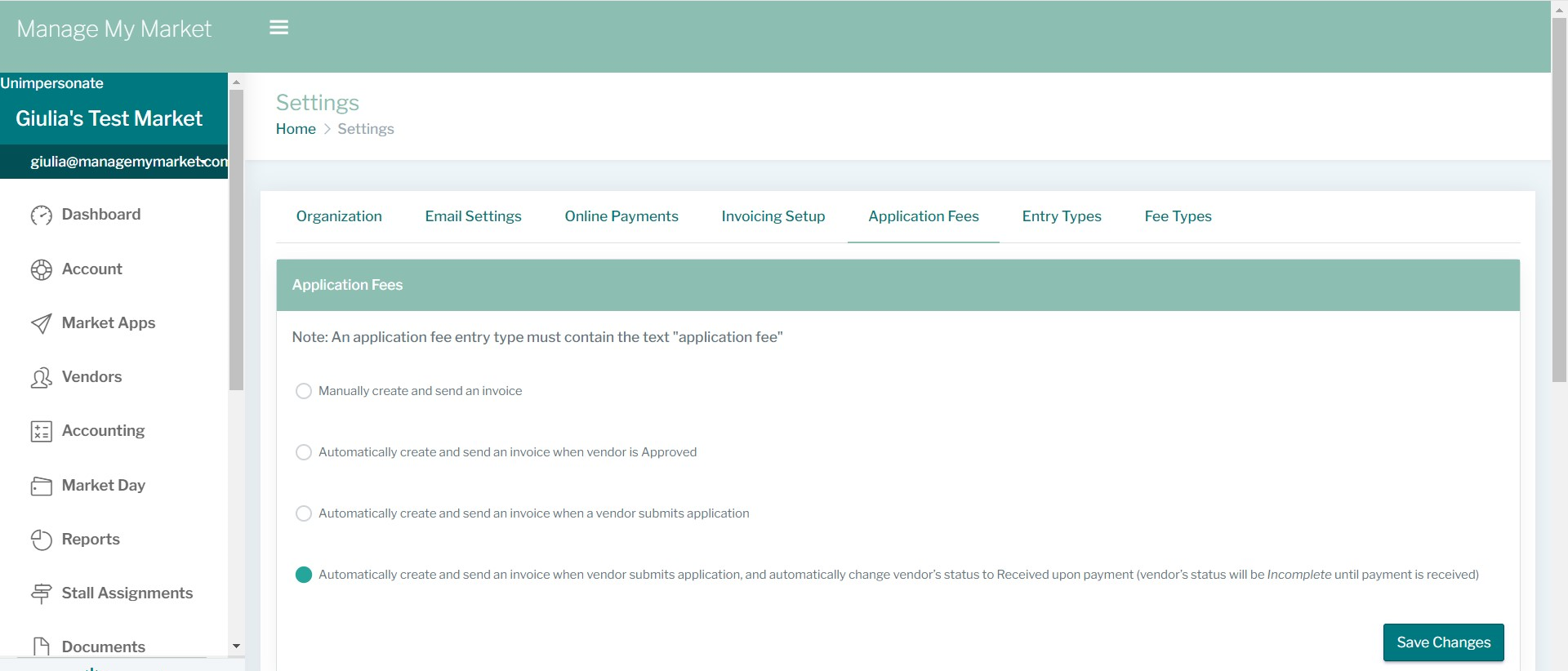
Once you select it, don't forget to click on 'Save Changes'.
The second step is to configure how you want your applications to work: Organization-wide or individually by Market.
Organization-wide means that once the vendor applies to your market and pays for the application fee, they can apply to all of your other markets without having to pay this fee again.
For each market means that for every market that your vendor wants to apply, they will have to pay the application fee by market.
Also, make sure to 'Save Changes' once you select your preferred option.
If you choose to go with the Organization-Wide option, another section will open right below called 'Application Fees reset'. This functionality allows you to reset the payment for your applications, meaning that once you reset, all the vendors who previously paid an application fee will have to do so again to apply to your markets.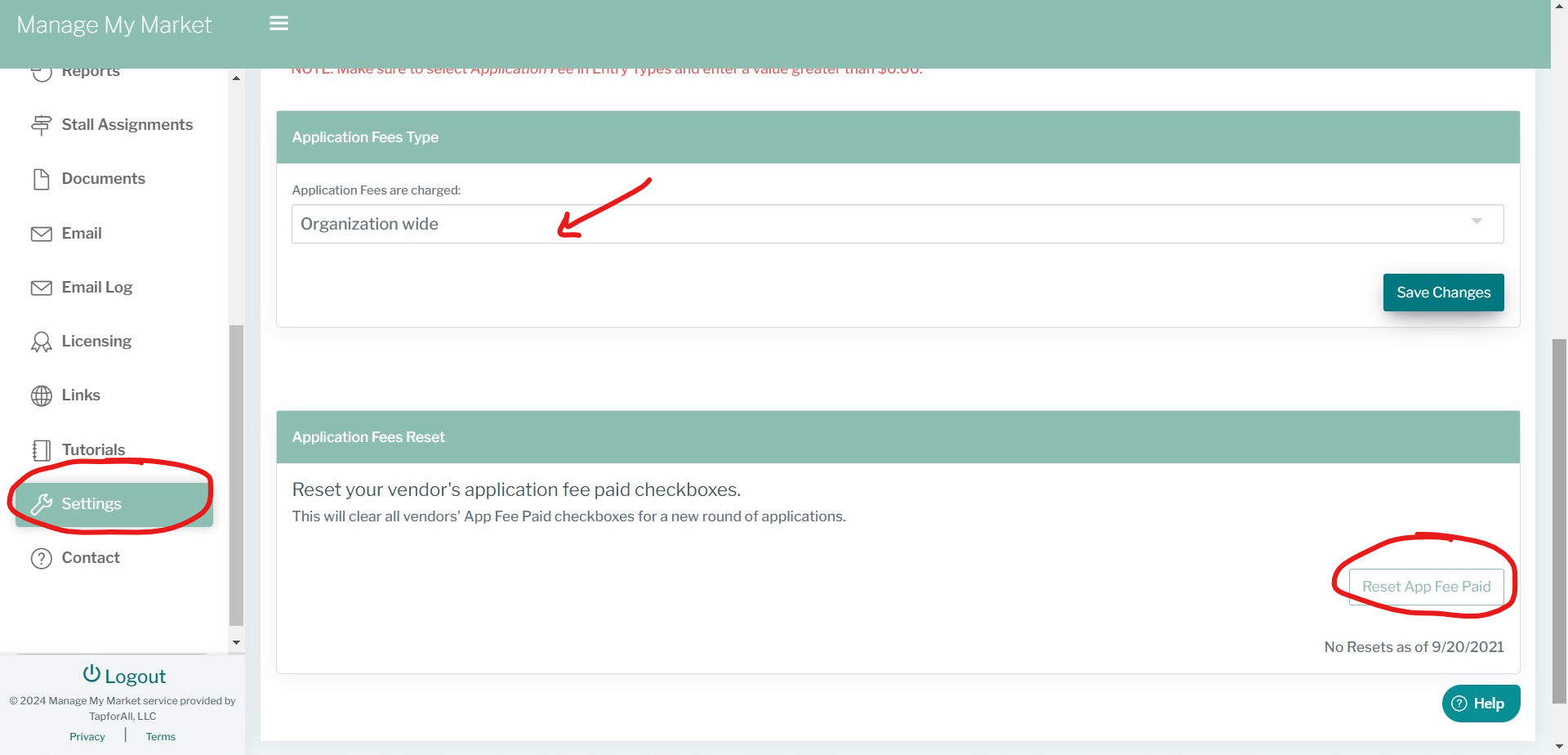
As an example, let's say you have 5 markets throughout the year and you want your vendors to pay only once (per year) to be able to apply to all of your markets on a yearly basis. In this case, please keep in mind that for the following year, you will need to reset the application fee paid. If you don't, they will not have to pay it again until you do so.
If you have any questions or need further assistance, please contact us :)
Was this article helpful?
That’s Great!
Thank you for your feedback
Sorry! We couldn't be helpful
Thank you for your feedback
Feedback sent
We appreciate your effort and will try to fix the article