There are 2 ways you can pay an invoice to your market manager:
1. You received the invoice via an email notification;
2. You logged in to your account to pay your invoices;
To pay an invoice you received over email, all you have to do is click where it says 'Click here to pay this invoice' and you will be directed to the payment page.
If you logged in to pay an invoice or check on pending/overdue invoices, all you have to do is go to the Account tab, scroll down to the Invoices section:
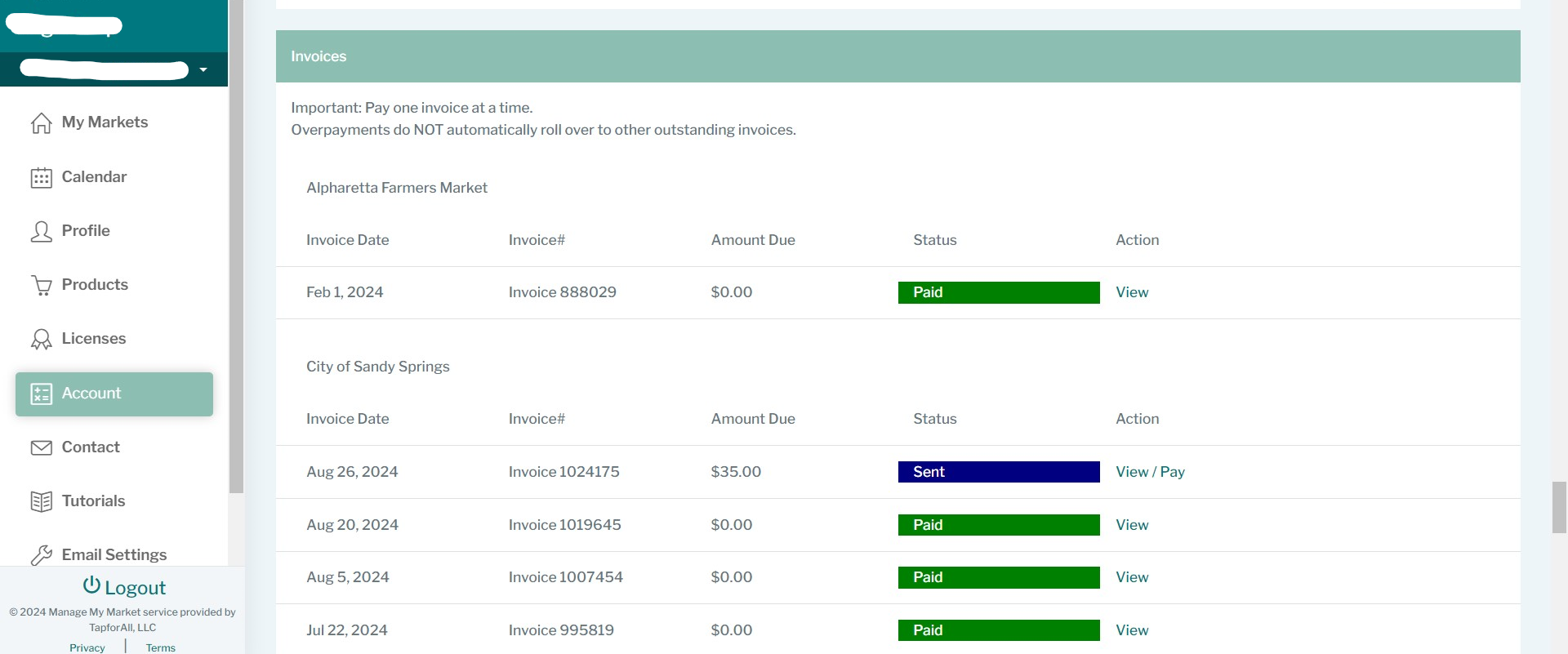
Then you can just hit the 'Pay' button to be directed to the payment page.
If you experience any issues or have any questions, please feel free to contact us.
Was this article helpful?
That’s Great!
Thank you for your feedback
Sorry! We couldn't be helpful
Thank you for your feedback
Feedback sent
We appreciate your effort and will try to fix the article