Sometimes cards on file will fail while charging them, so to help you troubleshoot this issue, you can check the reason why it failed and try again.
To do that, go to Accounting > Auto Charges > Log.
The auto charges log shows you every Auto Charge transaction - successful and failed ones - for your review.
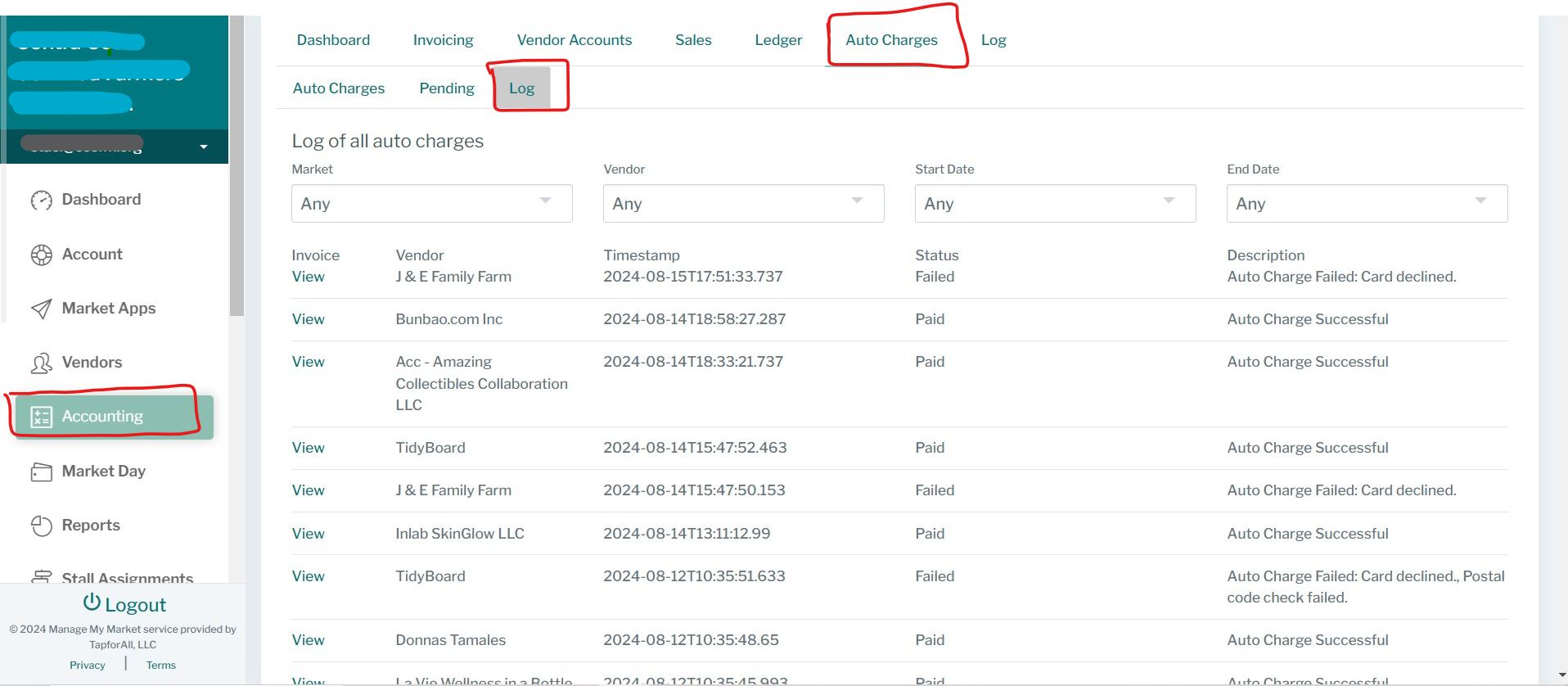
This way you can address each failed transaction with the proper solution.
*Declined (could be lack of funds, unauthorized transaction, etc)
* Wrong postal code (the card's zip code and the zip code in the vendors' profile should match, you may get a fail if they do not)
If it's none of the issues above, you can ask your vendor to add a new card and try again.
If you're still not able to charge your vendor, please contact us for further assistance.
Was this article helpful?
That’s Great!
Thank you for your feedback
Sorry! We couldn't be helpful
Thank you for your feedback
Feedback sent
We appreciate your effort and will try to fix the article