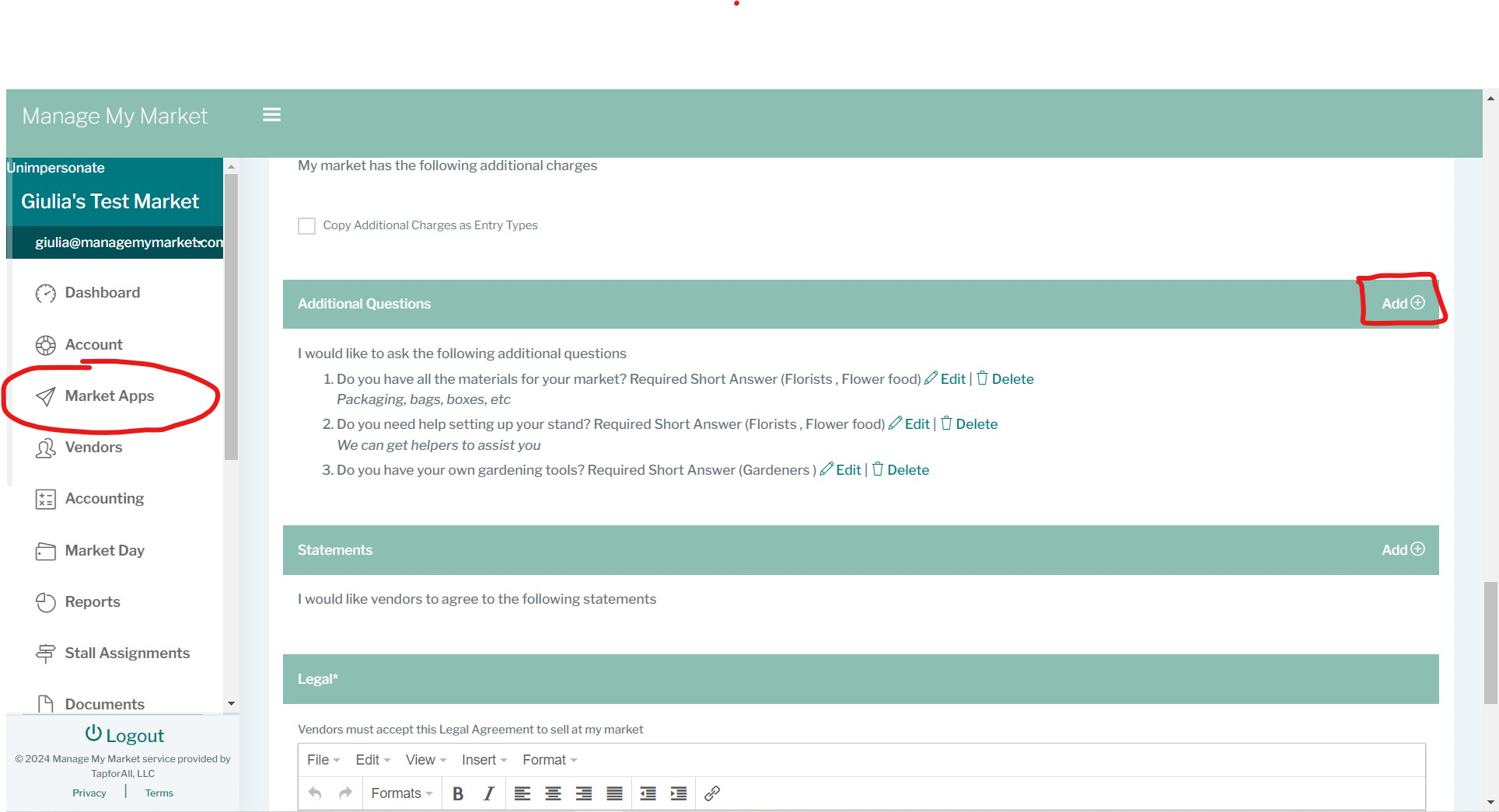
In Market Apps, when creating your market application, you will see the "Additional questions" section which is meant to ask more questions from your vendors regarding their business and may directly impact how you coordinate the market season.
To add them, just find this section and click on the 'Add' button. A pop-up window will appear so you can enter your question.
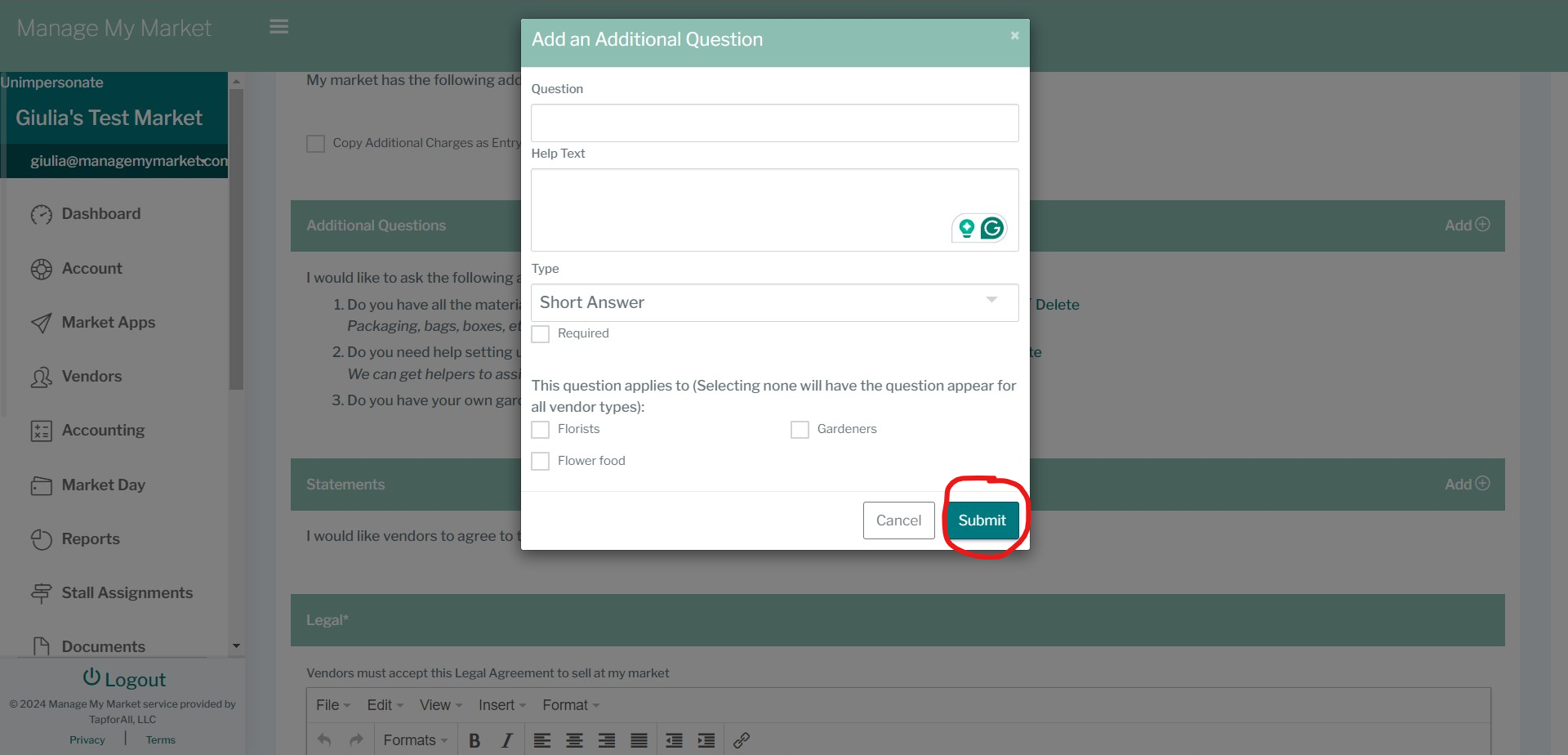
* Enter your question and write a help text for your vendors so they reply accurately.
* Select the type of answer you're looking to obtain - short or long;
* Select or not, the vendors that you want this question to apply to. Note that not selecting any will have the question appearing for all vendor types.
Once you are done, just click 'Submit'.
You may keep adding more questions, however, when you are finished adding all the questions, you need to save your work by clicking on 'Save' at the bottom of the market application page you're in.
If you need to edit or delete any of your additional questions, you may do so by clicking, respectively on 'Edit' or 'Delete' right beside the question.
Note: Keep in mind that if a vendor has applied to your market, you will no longer be able to edit the additional questions to prevent confusion and protect the vendor's answers, you can only delete them.
If you have questions or need further assistance, please contact us. :)
Was this article helpful?
That’s Great!
Thank you for your feedback
Sorry! We couldn't be helpful
Thank you for your feedback
Feedback sent
We appreciate your effort and will try to fix the article